← Explore the libraryProduct Image
Make a soft-blue wireless-earbud launch image
Give wireless earbuds a clear launch image with a soft-blue studio setting.
Inputs & setup What you need before copying
Bring: Your product or service, brand colours, ad placement and preferred image shape.; Optional: an authorised product or team reference photo. No reference is needed for a fictional concept.
Start here: Open an image generator and replace the bracketed details before pasting the prompt. Optional: upload a product or team photo you may use. The shown example was generated from text only. Add your real logo, headline and contact details afterward in a design app.
Example generated with: ChatGPT image generation.
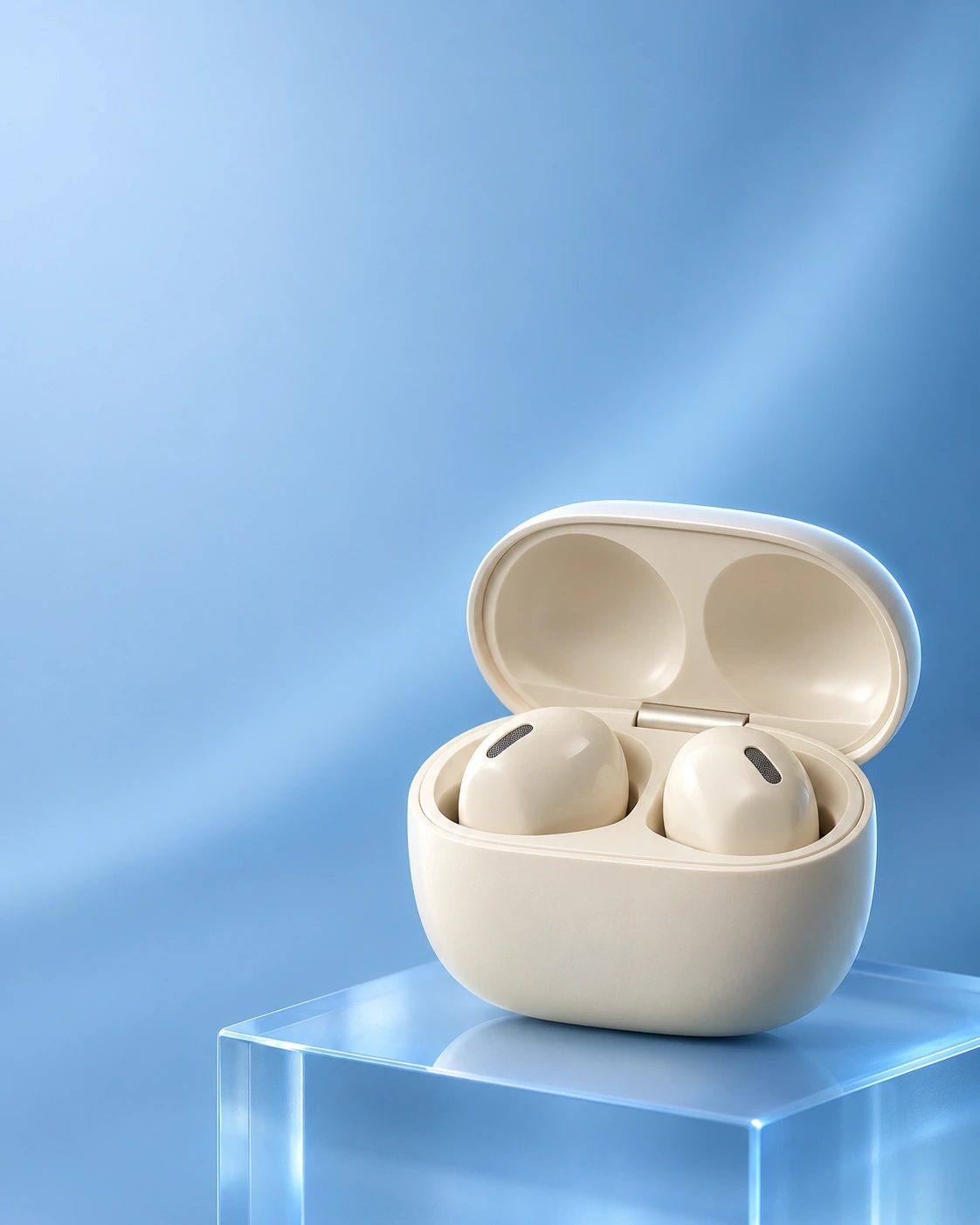
Example result
YOUR STARTING POINT
Make it yours Fill in your details
Optional. Your details stay in this browser tab.
Read full prompt
Create a commercial product image for [your product and packaging description]. Use [brand colours] and [ad placement/aspect ratio]. If an authorised product reference is uploaded, preserve its actual shape, proportions, colour, packaging and visible markings; change only the setting and lighting. Replace the example product and props below with the supplied product details. Use this scene and composition as the starting point: A studio product advertisement showing one unbranded ivory wireless-earbud case open with exactly two matching earbuds seated inside. Place it on a pale-blue acrylic pedestal in the lower-right of a portrait 4:5 composition. Soft sweeping blue gradient background, controlled rim light revealing the case hinge and smooth curved surfaces, realistic macro detail. Leave the upper-left half uncluttered for a headline added later. No floating buds, extra earbuds, wires, text, logos, battery numbers or invented interface graphics. Leave branding, headline, offer and contact details for a design app after generation. Keep the advertised product or activity clearly visible. Do not invent testimonials or business results.
Try a variation 3 ideas
After your first result, try one of these follow-ups.
- Keep the same subject and props; move the blank headline space to the right.
- Keep the same scene; make a vertical version with extra blank space above the subject.
- Keep the composition and use my brand colours only for the background and props.
Check your result
- Check product shapes, item counts, hands, equipment and shadows at full size.
- Compare any reference with the result; correct changed packaging, colours or identity before using the ad.