← Explore the libraryCreative Image
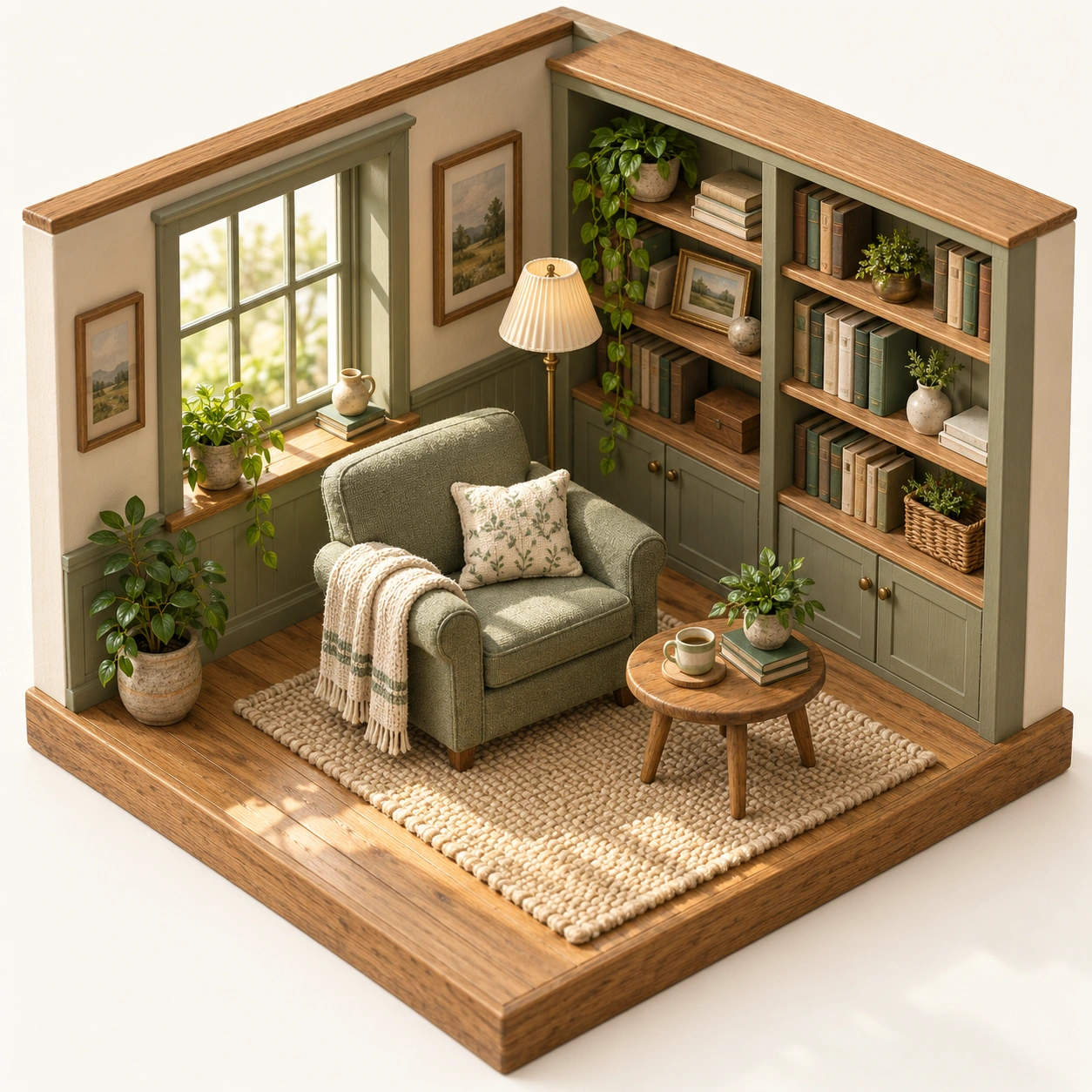
Isometric Tiny Room Diorama
Turn a small interior into a coherent miniature cutaway.
Inputs & setup What you need before copying
Bring: Ready-to-copy scene, or your preferred subject, colours and framing
Start here: Use an image-generation mode, not a text-only chat. The example is retained from its original generation. Use the ready-filled scene first. For a real product, supply your own reference in an image-editing tool.
Other suggested tools: ChatGPT, Gemini, Midjourney, Adobe Firefly.
Example result
YOUR STARTING POINT
Make it yours Fill in your details
Optional. Your details stay in this browser tab.
Read full prompt
Create an isometric miniature diorama of [ROOM TYPE] on a square base, viewed from an elevated three-quarter angle with two walls removed. Include [THREE KEY OBJECTS] at consistent miniature scale. Use [PALETTE], tactile painted surfaces and soft daylight entering from one visible window. Keep parallel edges consistent, the floor plan readable and objects grounded with contact shadows. Square composition on a plain warm-white background. No people, text, logos or watermark.
Try a variation 3 ideas
After your first result, try one of these follow-ups.
- Keep the floor plan; turn the scene into a rainy evening with a warm lamp and blue window light.
- Keep the scene and materials; use my chosen two-colour palette without changing the main subject.
- Keep the subject intact; create a wider composition with clear space on the left for a caption I will add later.
Check your result
- Compare the subject, framing and lighting with your requested scene.
- Check small details at full size before downloading or sharing.
- For product edits, compare shape, proportions and visible details with the reference; this concept image is not a product specification.
- Check wall thickness, object scale, unsupported furniture and inconsistent perspective.