← Explore the libraryCreative Image
Glassmorphism Mobile App Interface
Use translucent layers while keeping essential information legible.
Inputs & setup What you need before copying
Bring: Ready-to-copy scene, or your preferred subject, colours and framing
Start here: Use an image-generation mode, not a text-only chat. The example is retained from its original generation. Use the ready-filled scene first. For a real product, supply your own reference in an image-editing tool.
Other suggested tools: ChatGPT, Gemini, Midjourney, Adobe Firefly.
Example result
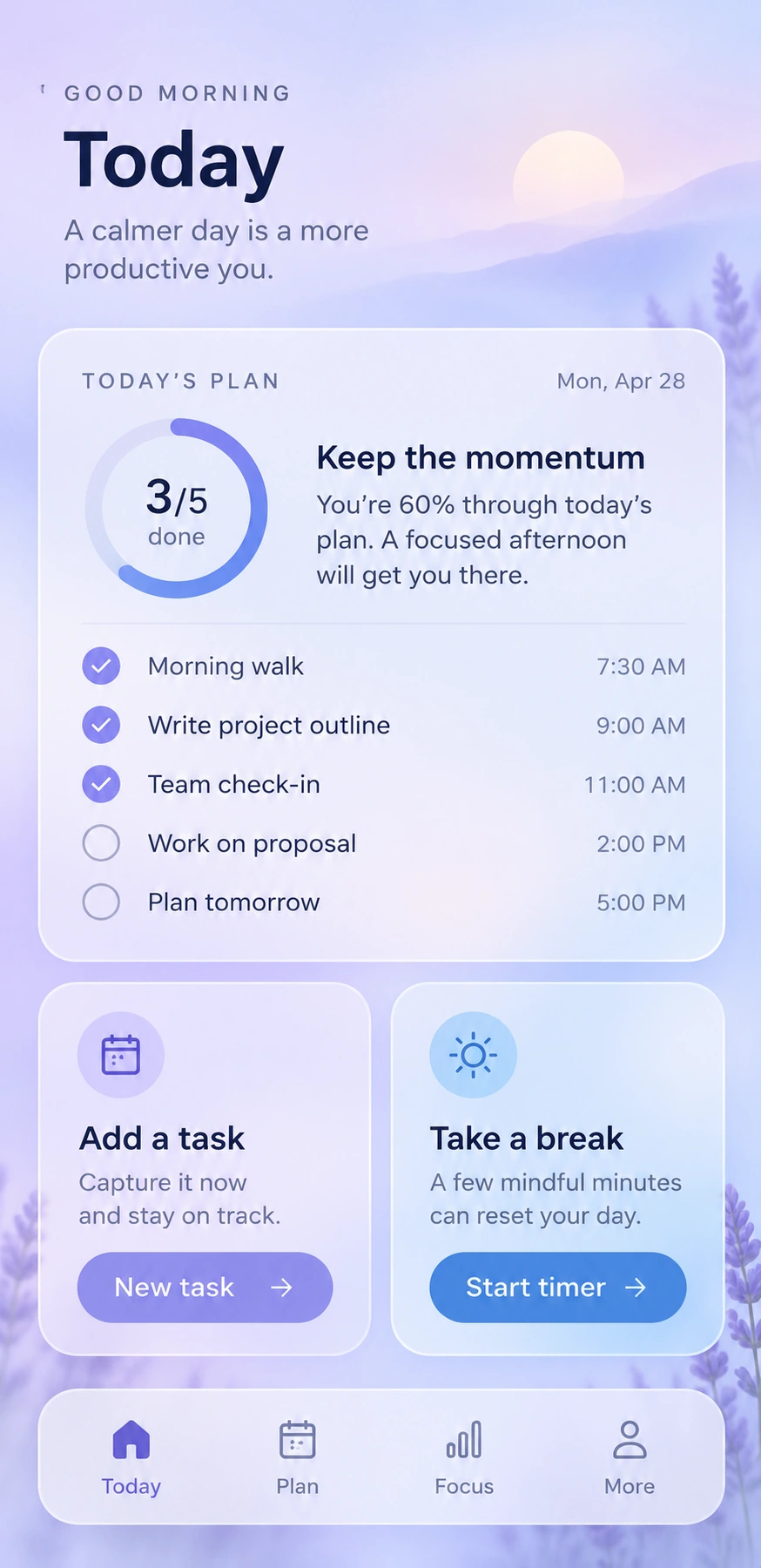
YOUR STARTING POINT
Make it yours Fill in your details
Optional. Your details stay in this browser tab.
Read full prompt
Create a mobile-app interface concept for [APP PURPOSE]. Show one [SCREEN NAME] screen with a quiet [BACKGROUND PALETTE] gradient, frosted translucent cards, fine light borders and soft depth. Include a clear heading, one primary information card, two secondary actions and a simple bottom navigation. Use dark or light text with strong contrast against each card; do not place essential labels over busy transparency. Straight-on 9:19.5 screen image, no phone hardware, brand logo or fake notifications. Visual mockup only.
Try a variation 3 ideas
After your first result, try one of these follow-ups.
- Keep the structure; create a reduced-transparency version with solid surfaces and the same hierarchy.
- Keep the scene and materials; use my chosen two-colour palette without changing the main subject.
- Keep the subject intact; create a wider composition with clear space on the left for a caption I will add later.
Check your result
- Compare the subject, framing and lighting with your requested scene.
- Check small details at full size before downloading or sharing.
- For product edits, compare shape, proportions and visible details with the reference; this concept image is not a product specification.
- Test text contrast on real devices and ensure blur is decorative rather than required to understand the interface.
- This is a visual concept, not working software. Recreate and check all interface text before using the design.