← Explore the libraryProduct Image
A folded knitwear shop image
Show a sweater’s shape, knit and cuff in one view.
Inputs & setup What you need before copying
Bring: Ready-to-copy scene, or your preferred subject, colours and framing
Start here: Use an image-generation mode, not a text-only chat. The example is retained from its original generation. Use the ready-filled scene first. For a real product, supply your own reference in an image-editing tool.
Other suggested tools: ChatGPT, Gemini, Midjourney, Adobe Firefly.
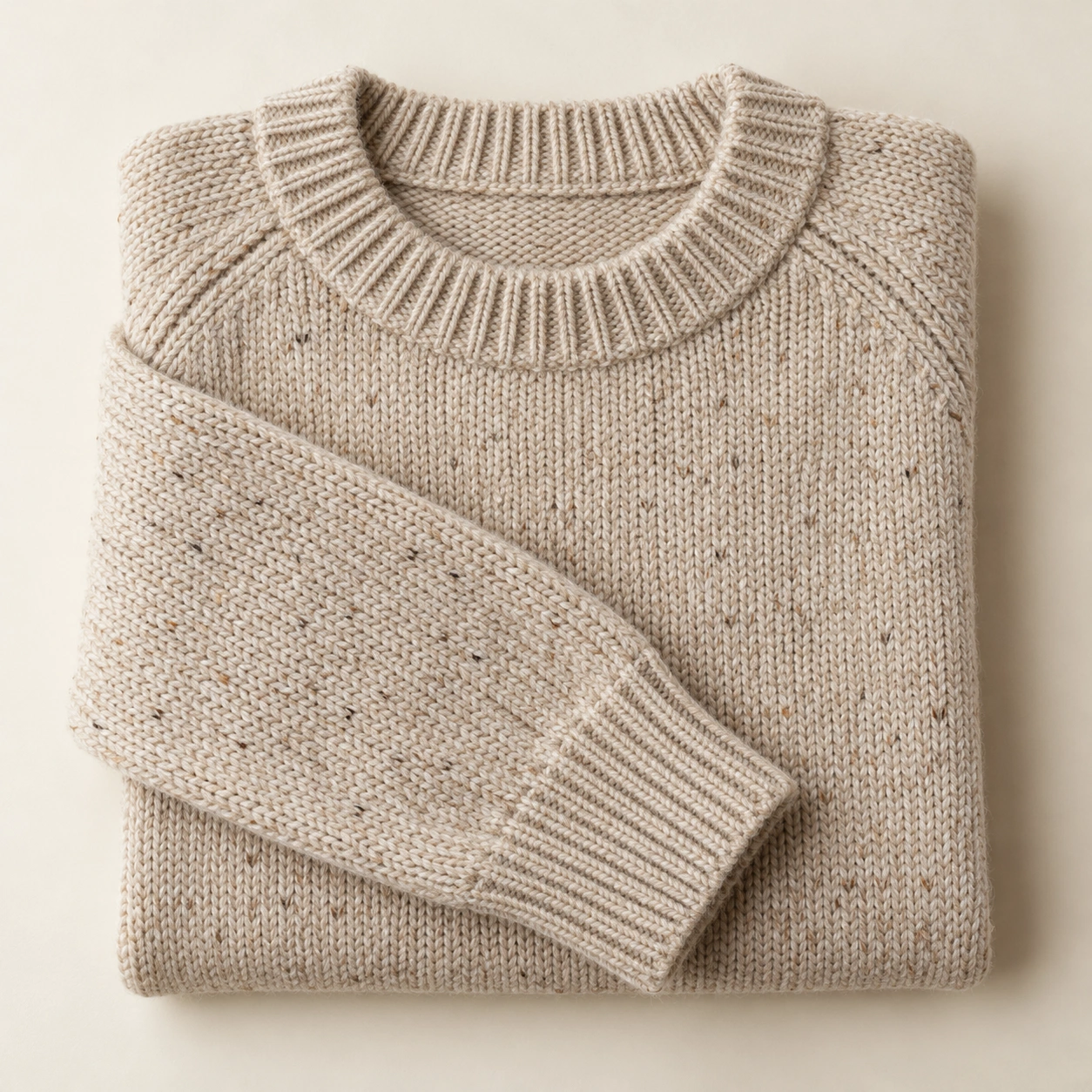
Example result
YOUR STARTING POINT
Read full prompt
Create an original image: A single folded oatmeal wool sweater with a ribbed collar rests on a warm cream surface, one sleeve laid diagonally to show the knit pattern and cuff. Photorealistic apparel ecommerce photograph, natural yarn texture, soft directional light, top-down square composition with clear edges. No readable text, brand names, logos or watermark. This is a fictional product concept.
Try a variation 3 ideas
After your first result, try one of these follow-ups.
- Change to a charcoal cable-knit sweater and preserve the layout.
- Keep the scene and materials; use my chosen two-colour palette without changing the main subject.
- Keep the subject intact; create a wider composition with clear space on the left for a caption I will add later.
Check your result
- Compare the subject, framing and lighting with your requested scene.
- Check small details at full size before downloading or sharing.
- For product edits, compare shape, proportions and visible details with the reference; this concept image is not a product specification.
- Compare shapes, materials and details with your intended product
- For a real listing, use your own product reference and check that the final image accurately represents it.