← Explore the libraryCreative Image
Make everyday products look extraordinary
A sculptural studio scene with a little surreal energy.
Inputs & setup What you need before copying
Bring: Ready-to-copy scene, or your preferred subject, colours and framing
Start here: Use an image-generation mode, not a text-only chat. The example is retained from its original generation. Use the ready-filled scene first. For a real product, supply your own reference in an image-editing tool.
Other suggested tools: ChatGPT, Gemini, Midjourney, Adobe Firefly.
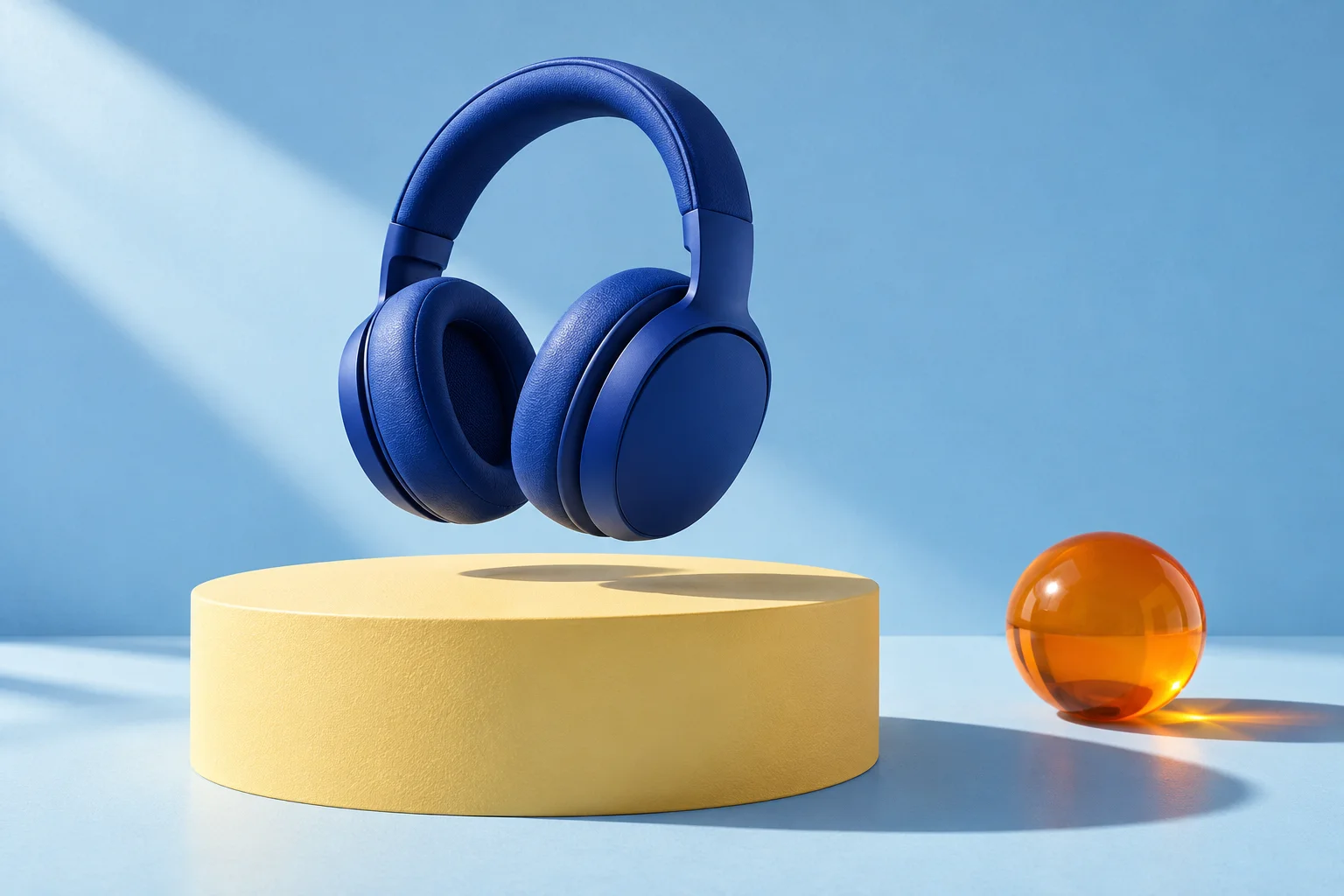
Example result
YOUR STARTING POINT
Read full prompt
Create a high-end editorial product photograph of a sculptural cobalt-blue over-ear headphone, floating just above a pale butter-yellow cylindrical plinth. Powder-blue seamless studio background, one translucent orange acrylic sphere to the right, strong directional sunlight from the upper left, crisp realistic shadow, tactile matte surfaces, subtle film grain. Three-quarter view, generous negative space, landscape 3:2 composition. No text, no logos, no watermark. The image is a fictional creative concept, not a real branded product.
Try a variation 3 ideas
After your first result, try one of these follow-ups.
- Try a ceramic lamp instead of headphones. Swap blue for burnt orange. Keep the light and composition consistent.
- Keep the scene and materials; use my chosen two-colour palette without changing the main subject.
- Keep the subject intact; create a wider composition with clear space on the left for a caption I will add later.
Check your result
- Compare the subject, framing and lighting with your requested scene.
- Check small details at full size before downloading or sharing.
- For product edits, compare shape, proportions and visible details with the reference; this concept image is not a product specification.