← Explore the libraryCreative Image
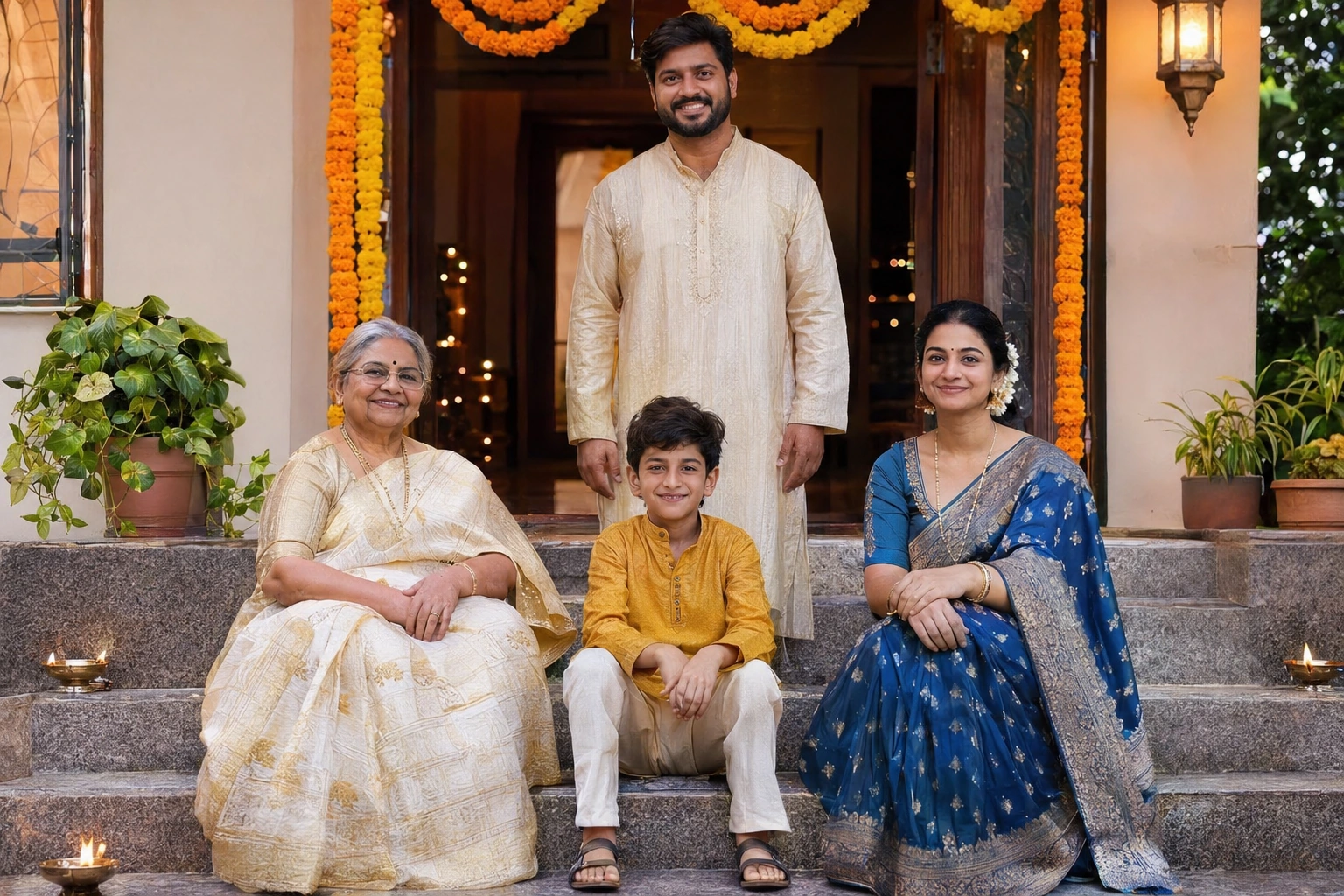
A three-generation Diwali portrait on the front steps
Arrange three generations clearly in a simple front-step portrait.
Inputs & setup What you need before copying
Bring: Who should appear, number of people, outfit colours and preferred crop.; Optional: one clear reference portrait or family photo to use in an image editor.
Start here: Choose an image generator; replace the people, outfit and colour details before copying. Optional: upload a clear portrait or family photo in an image editor that accepts reference images.
Example generated with: ChatGPT image generation.
Example result
YOUR STARTING POINT
Make it yours Fill in your details
Optional. Your details stay in this browser tab.
Read full prompt
Create a Diwali photo of [who should appear, including the number of people], wearing [outfits and colours]. Use the scene below as the starting point, replacing its example people and clothing with my details. If a reference photo is supplied, keep those same people, faces, apparent ages, natural features and specified subject count. Keep the setting, pose and light described below unless I ask for a change.

Exactly four fictional Indian family members posed on broad front steps: a grandmother in a cream sari seated at left, an adult mother in a blue sari seated at right, an adult father in a simple cream kurta standing behind, and a child around eight in a mustard kurta seated on the middle lower step. Each person has a separate clear face and natural relaxed hands. Marigold garland around the doorway, soft evening light, landscape 3:2, balanced formal family photograph with no additional people.

Natural skin texture, plausible hands and clothing, clear faces and believable proportions. No added people, duplicate faces, extra limbs, readable text, logos or watermark.
Try a variation 2 ideas
After your first result, try one of these follow-ups.
- Keep the people and scene; use my preferred festive outfit colours.
- Keep the same scene and make a wider family-card crop with room for a greeting added afterward.
Check your result
- Check the number of people, faces, hands and clothing before saving.
- Use the full-size image to check small details and your preferred framing.