← Explore the libraryCreative Image
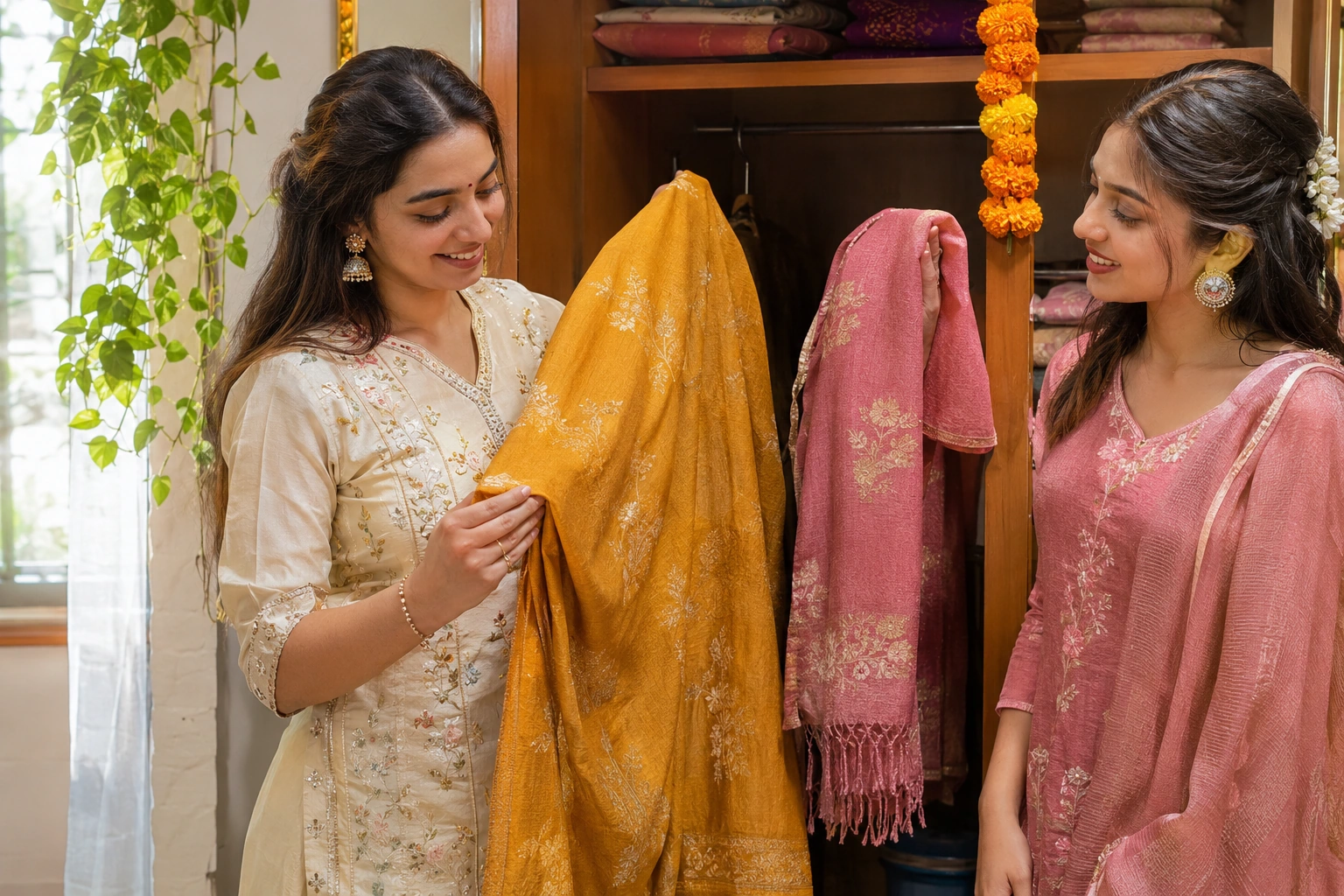
Two sisters choosing their Diwali outfits
Turn outfit preparation into a natural festive photo moment.
Inputs & setup What you need before copying
Bring: Who should appear, number of people, outfit colours and preferred crop.; Optional: one clear reference portrait or family photo to use in an image editor.
Start here: Choose an image generator; replace the people, outfit and colour details before copying. Optional: upload a clear portrait or family photo in an image editor that accepts reference images.
Example generated with: ChatGPT image generation.
Example result
YOUR STARTING POINT
Make it yours Fill in your details
Optional. Your details stay in this browser tab.
Read full prompt
Create a Diwali photo of [who should appear, including the number of people], wearing [outfits and colours]. Use the scene below as the starting point, replacing its example people and clothing with my details. If a reference photo is supplied, keep those same people, faces, apparent ages, natural features and specified subject count. Keep the setting, pose and light described below unless I ask for a change.

Exactly two fictional adult Indian sisters standing beside a simple open wardrobe, choosing between a mustard stole and a rose-pink stole. One sister wears a cream kurta and holds the mustard fabric with two hands; the other wears a rose outfit and looks toward it, arms relaxed. Both faces visible in three-quarter view, no mirror. A small marigold strand on the wardrobe suggests Diwali preparation. Landscape 3:2, warm daylight, candid lifestyle photograph.

Natural skin texture, plausible hands and clothing, clear faces and believable proportions. No added people, duplicate faces, extra limbs, readable text, logos or watermark.
Try a variation 2 ideas
After your first result, try one of these follow-ups.
- Keep the people and scene; use my preferred festive outfit colours.
- Keep the same scene and make a wider family-card crop with room for a greeting added afterward.
Check your result
- Check the number of people, faces, hands and clothing before saving.
- Use the full-size image to check small details and your preferred framing.