← Explore the libraryCreative Image
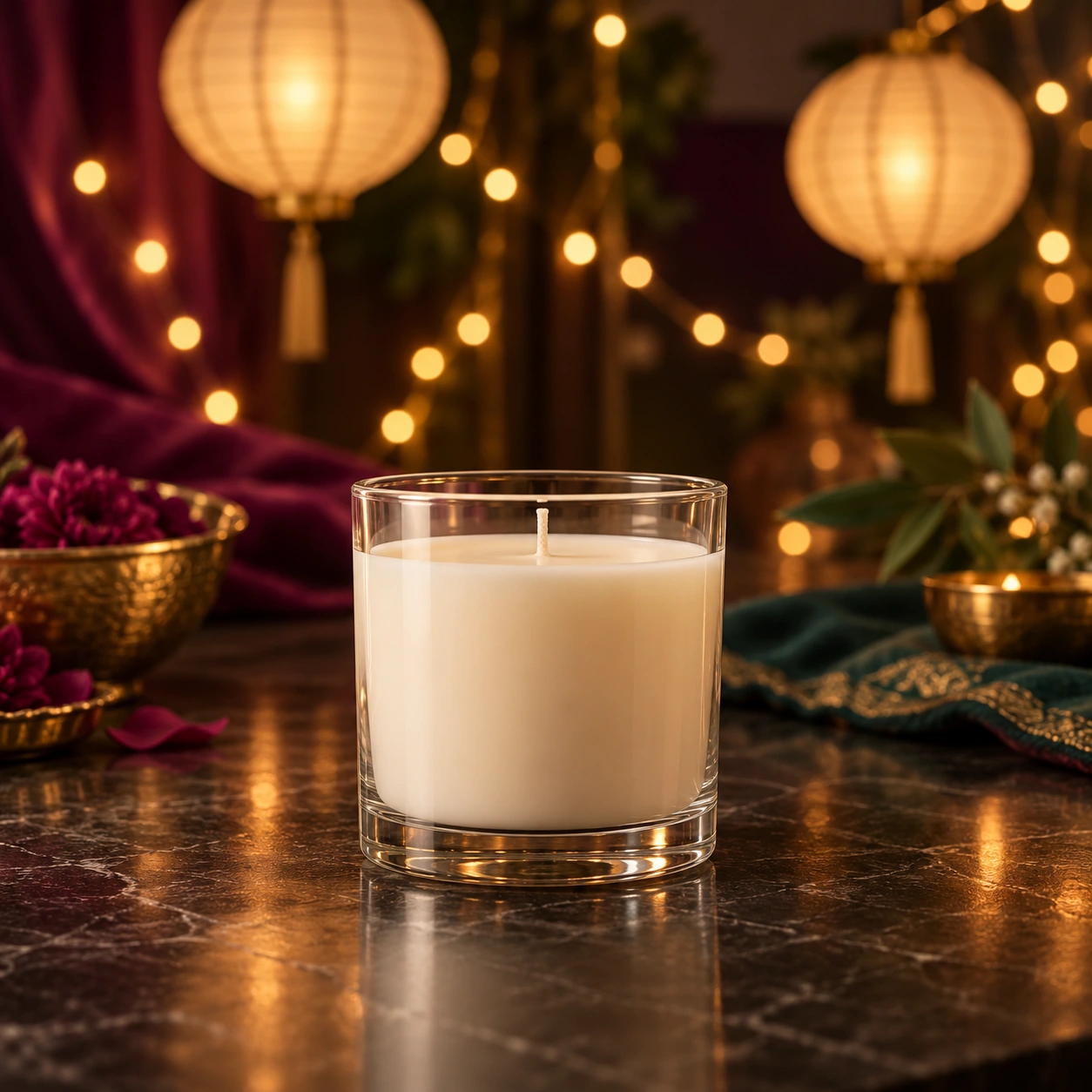
A candle product scene with Diwali bokeh
Frame a fictional candle against warm lights and festive lanterns.
Inputs & setup What you need before copying
Bring: Ready-to-copy scene, or your preferred subject, colours and framing
Start here: Use an image-generation mode, not a text-only chat. The example is retained from its original generation. For a greeting card, add the final wording in a design editor after generating the background.
Other suggested tools: ChatGPT, Gemini, Midjourney, Adobe Firefly.
Example result
YOUR STARTING POINT
Read full prompt
Create an elegant editorial product photograph of a fictional unbranded ivory candle in a clear glass jar, with its wick unlit, centered on a dark polished stone surface. Behind it, softly blurred golden string lights and two hanging paper lanterns suggest a Diwali celebration. Deep plum and emerald accents, restrained festive styling, realistic glass reflections, crisp candle edges, gentle warm key light. Keep the product shape plausible and the foreground uncluttered. Square composition with breathing room. No text, labels, logos, watermark, sparks or fireworks.
Try a variation 3 ideas
After your first result, try one of these follow-ups.
- Replace the fictional candle with my supplied product reference. Preserve its real shape and label, and change only the festive setting.
- Keep the same festive scene and lighting; make a landscape card background with an uncluttered area for my greeting.
- Keep the main subject and seasonal details; simplify background decorations so the image remains clear on a phone.
Check your result
- Compare the subject, framing and lighting with your requested scene.
- Check small details at full size before downloading or sharing.
- Check cultural details and any hands or faces. Add dates and greeting text separately so spelling stays under your control.
- Inspect the composition and details before sharing
- Use the full-size example to check small features.