← Explore the libraryCreative Image
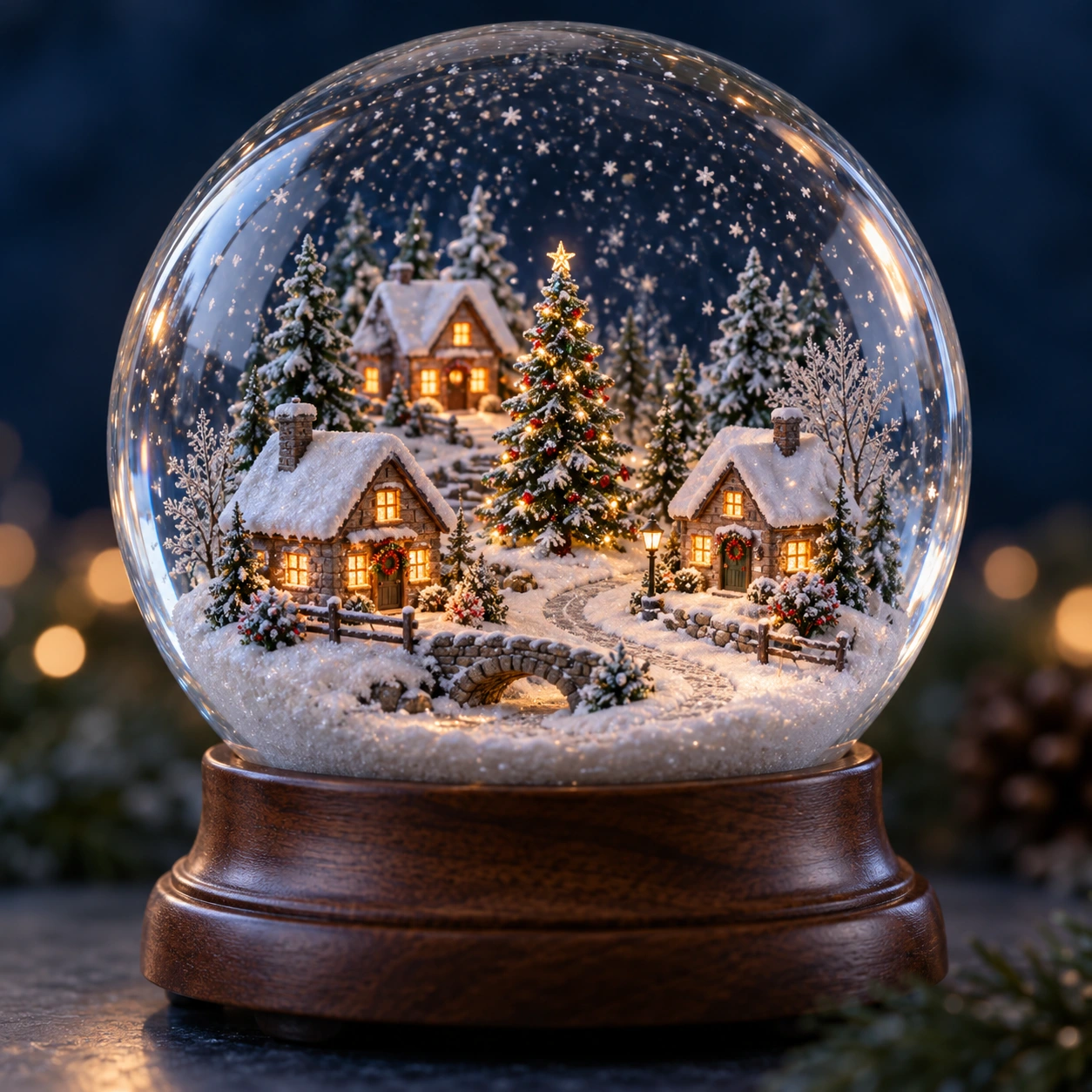
A tiny Christmas village in a snow globe
A glass snow globe on a walnut base contains a tiny Christmas village with three cottages.
Inputs & setup What you need before copying
Bring: Ready-to-copy scene, or your preferred subject, colours and framing
Start here: Use an image-generation mode, not a text-only chat. The example is retained from its original generation. For a greeting card, add the final wording in a design editor after generating the background.
Other suggested tools: ChatGPT, Gemini, Midjourney, Adobe Firefly.
Example result
YOUR STARTING POINT
Read full prompt
Create an original image: A glass snow globe on a walnut base contains a tiny Christmas village with three cottages, a decorated evergreen and a curved snowy path. Macro product photography, convincing glass refraction, fine snow particles, warm windows and soft navy background, square framing. No lettering, readable text, logos, brand marks or watermark. All people and products are fictional.
Try a variation 3 ideas
After your first result, try one of these follow-ups.
- Make the village coastal, with a tiny lighthouse, preserving the glass globe.
- Keep the same festive scene and lighting; make a landscape card background with an uncluttered area for my greeting.
- Keep the main subject and seasonal details; simplify background decorations so the image remains clear on a phone.
Check your result
- Compare the subject, framing and lighting with your requested scene.
- Check small details at full size before downloading or sharing.
- Check cultural details and any hands or faces. Add dates and greeting text separately so spelling stays under your control.
- Check the main subject, anatomy where present, material edges and small details before using the image.