← Explore the libraryCreative Image
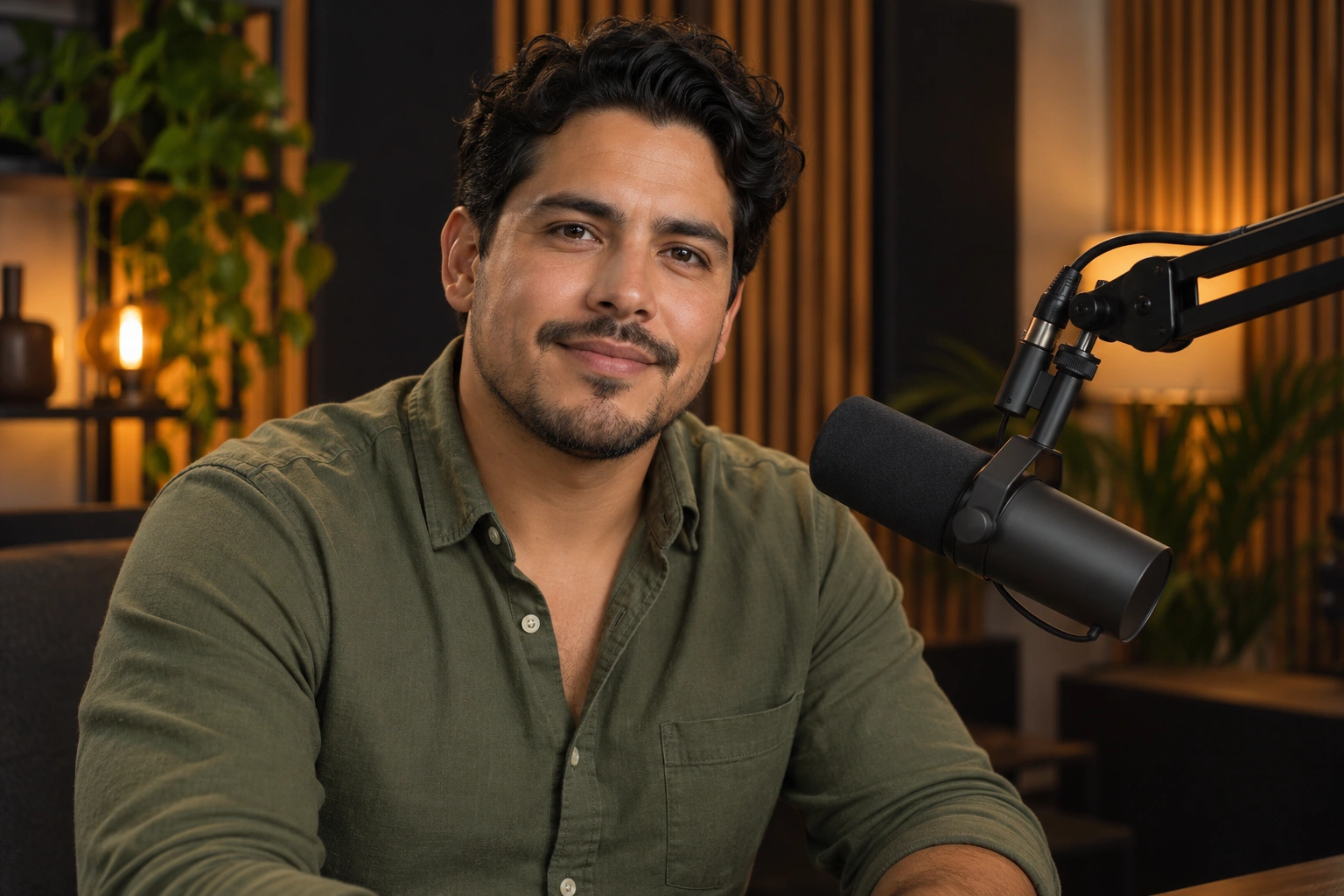
A podcast-host portrait at the microphone
podcast-host portrait at the microphone with a ready-to-copy brief and visual example.
Inputs & setup What you need before copying
Bring: Scene and wardrobe preferences; optional reference photo you have permission to use
Start here: Use an image-generation mode, not a text-only chat. The example is retained from its original generation. A reference-photo variation needs image upload/editing support. The original fictional example does not demonstrate identity matching.
Other suggested tools: ChatGPT, Gemini, Midjourney, Adobe Firefly.
Example result
YOUR STARTING POINT
Read full prompt
Create an original image. A fictional adult Latino man host wearing a muted green shirt sits beside an unbranded broadcast microphone on a boom arm. Wide 3:2 portrait, microphone offset so the face remains unobstructed, looking toward camera, softly lit warm acoustic-panel background, no headphones required, no readable equipment labels. Preserve believable anatomy and natural facial proportions. The person or people are fictional adults, not based on a real person. No logos, watermarks or readable text.
Try a variation 2 ideas
After your first result, try one of these follow-ups.
- Using my permitted reference photo, preserve the person’s identity and age; adapt only the background and wardrobe to this scene.
- Keep the same subject and lighting; leave extra space around the head so a circular profile crop does not cut off the hair.
Check your result
- Compare the subject, framing and lighting with your requested scene.
- Check small details at full size before downloading or sharing.
- For a real-person edit, check face shape, skin tone, hair and age against the reference.
- For your own profile, use an authorized reference photo and check that the result still looks like you
- Inspect eyes, glasses, hair and hands
- avoid presenting a fictional example as a real credential or event.