← Explore the libraryProduct Image
Create a blender advertisement with a tidy ingredient lineup
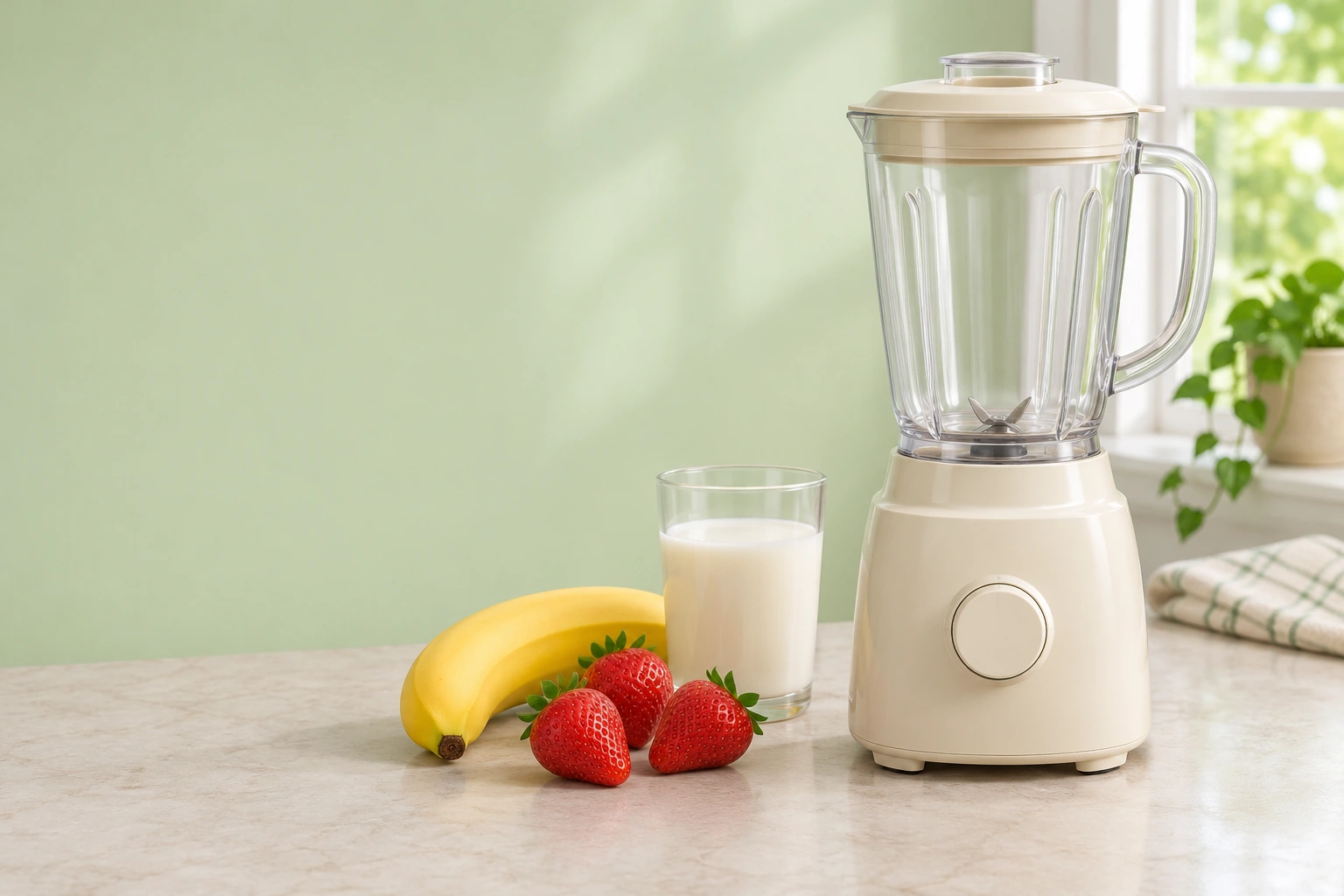
Show a compact blender beside a simple, neatly counted ingredient lineup.
Inputs & setup What you need before copying
Bring: Your product or service, brand colours, ad placement and preferred image shape.; Optional: an authorised product or team reference photo. No reference is needed for a fictional concept.
Start here: Open an image generator and replace the bracketed details before pasting the prompt. Optional: upload a product or team photo you may use. The shown example was generated from text only. Add your real logo, headline and contact details afterward in a design app.
Example generated with: ChatGPT image generation.
Example result
YOUR STARTING POINT
Make it yours Fill in your details
Optional. Your details stay in this browser tab.
Read full prompt
Create a commercial product image for [your product and packaging description]. Use [brand colours] and [ad placement/aspect ratio]. If an authorised product reference is uploaded, preserve its actual shape, proportions, colour, packaging and visible markings; change only the setting and lighting. Replace the example product and props below with the supplied product details. Use this scene and composition as the starting point: A realistic commercial product photograph of one unbranded compact cream countertop blender with its clear empty jar locked onto the base and its lid closed. Beside it are exactly one whole banana, three strawberries and a small clear glass of milk on a pale kitchen counter. Keep blade details subtle through the transparent jar. Bright diffuse window light, believable scale and contact shadows. Product and ingredients occupy the right two-thirds, leaving a clean pale-green wall at left for later ad copy. Landscape 3:2. No people, moving blades, spills, labels, nutrition claims, words or logos. Leave branding, headline, offer and contact details for a design app after generation. Keep the advertised product or activity clearly visible. Do not invent testimonials or business results.
Try a variation 3 ideas
After your first result, try one of these follow-ups.
- Keep the same subject and props; move the blank headline space to the right.
- Keep the same scene; make a vertical version with extra blank space above the subject.
- Keep the composition and use my brand colours only for the background and props.
Check your result
- Check product shapes, item counts, hands, equipment and shadows at full size.
- Compare any reference with the result; correct changed packaging, colours or identity before using the ad.