← Explore the libraryUse Your Photo
80s look prompt: pastel linen by a quiet pool
Use pastel tailoring and a quiet poolside setting for a softer 80s look.
Inputs & setup What you need before copying
Bring: One clear photo of yourself to use as the reference.; Your outfit colours and preferred crop; leave the scene details as shown or replace them.
Start here: Upload one clear photo in an image editor that accepts reference images. Replace the outfit and crop brackets, then paste the prompt with your photo.
Example generated with: ChatGPT image editing.
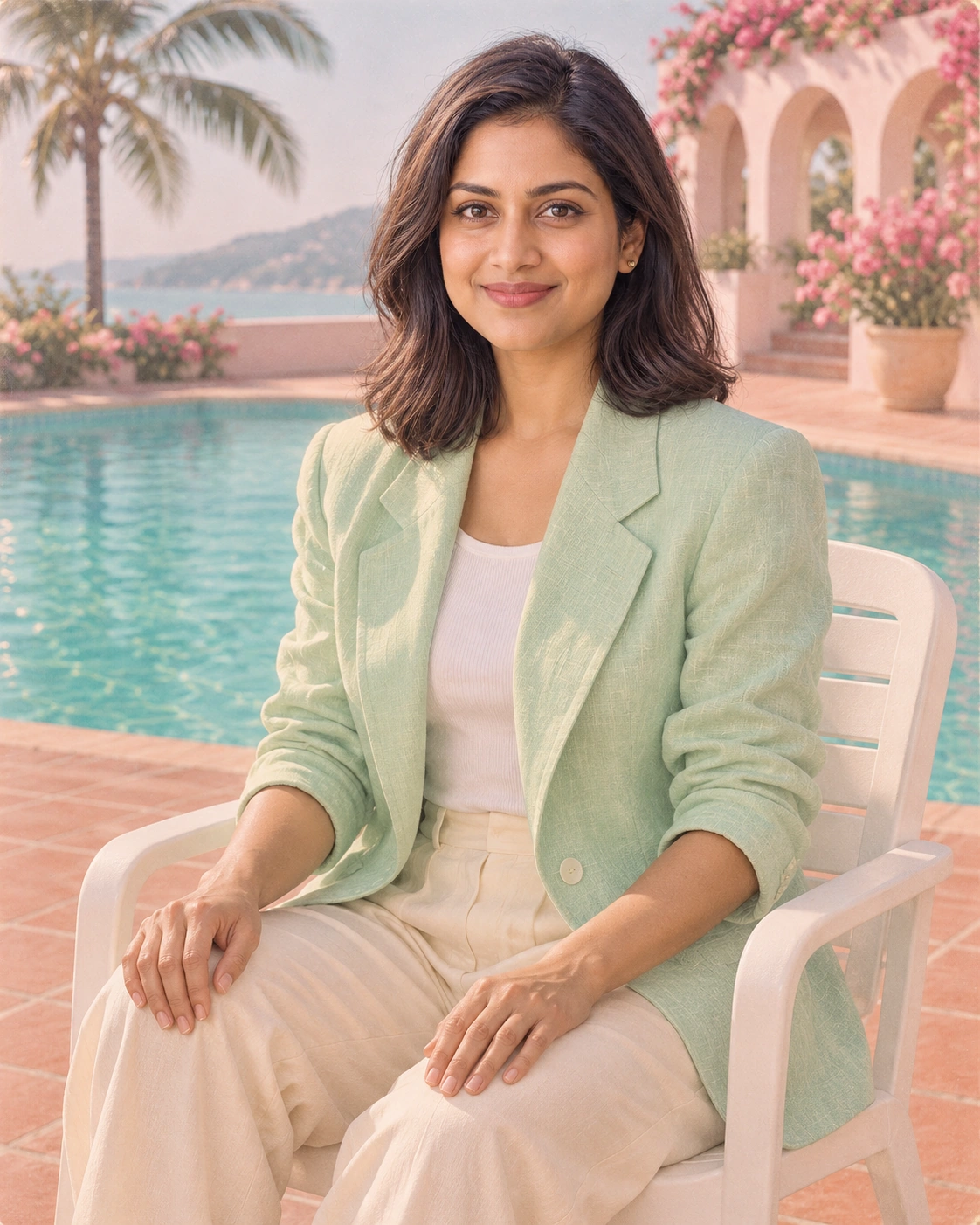
Example result
YOUR STARTING POINT
Make it yours Fill in your details
Optional. Your details stay in this browser tab.
Read full prompt
Edit my uploaded photo into the scene below. Keep me recognizable: preserve my facial proportions, apparent age, skin tone, natural features and hairstyle. Replace the example outfit with [my outfit and colours] if specified. Use [my preferred crop] or the crop described. The scene describes one adult; keep exactly one person.

Seated upright on a plain white poolside chair wearing a pale mint linen blazer over a white top and cream trousers. Hands resting separately on knees, face clear, no sunglasses. Terracotta tiles and turquoise water behind, soft morning sun, pastel 1980s resort-fashion editorial, three-quarter 4:5, slight print fade, no other people.

Natural skin texture, plausible hands and clothing, a clear face and believable proportions. No added people, duplicate faces, extra limbs, readable text, logos or watermark.
Try a variation 2 ideas
After your first result, try one of these follow-ups.
- Keep the same scene and light; use my preferred outfit colours.
- Keep the same person and scene; make a wider crop with space for a caption added afterward.
Check your result
- Check your face, hands, clothing and scene before saving the full-size result.
- Check the crop and any small props at full size.